


1
Weeks 1–2

We build your employee.

Once you place your order, we get to work. We source a brand new Apple iMac — chosen for its security, reliability, and ease of use — and build your AI employee from scratch. No pre-owned hardware, no leftover software. A clean machine built for one purpose: working for you.

During this phase, we configure everything your employee needs to hit the ground running on day one. While we're building, we'll ask you to send over anything that helps us train your employee — brand guidelines, an employee handbook, how you handle calls, email templates, whatever you've got. Just email it or share a Google Drive folder. Don't overthink it — even a few examples of how you talk to clients goes a long way.

Dedicated phone number Your employee gets its own number for texting clients
Dedicated email address Its own inbox, separate from yours
A name you choose Your employee, your brand, your call
Custom skill setup Configured for the specific tasks your business needs
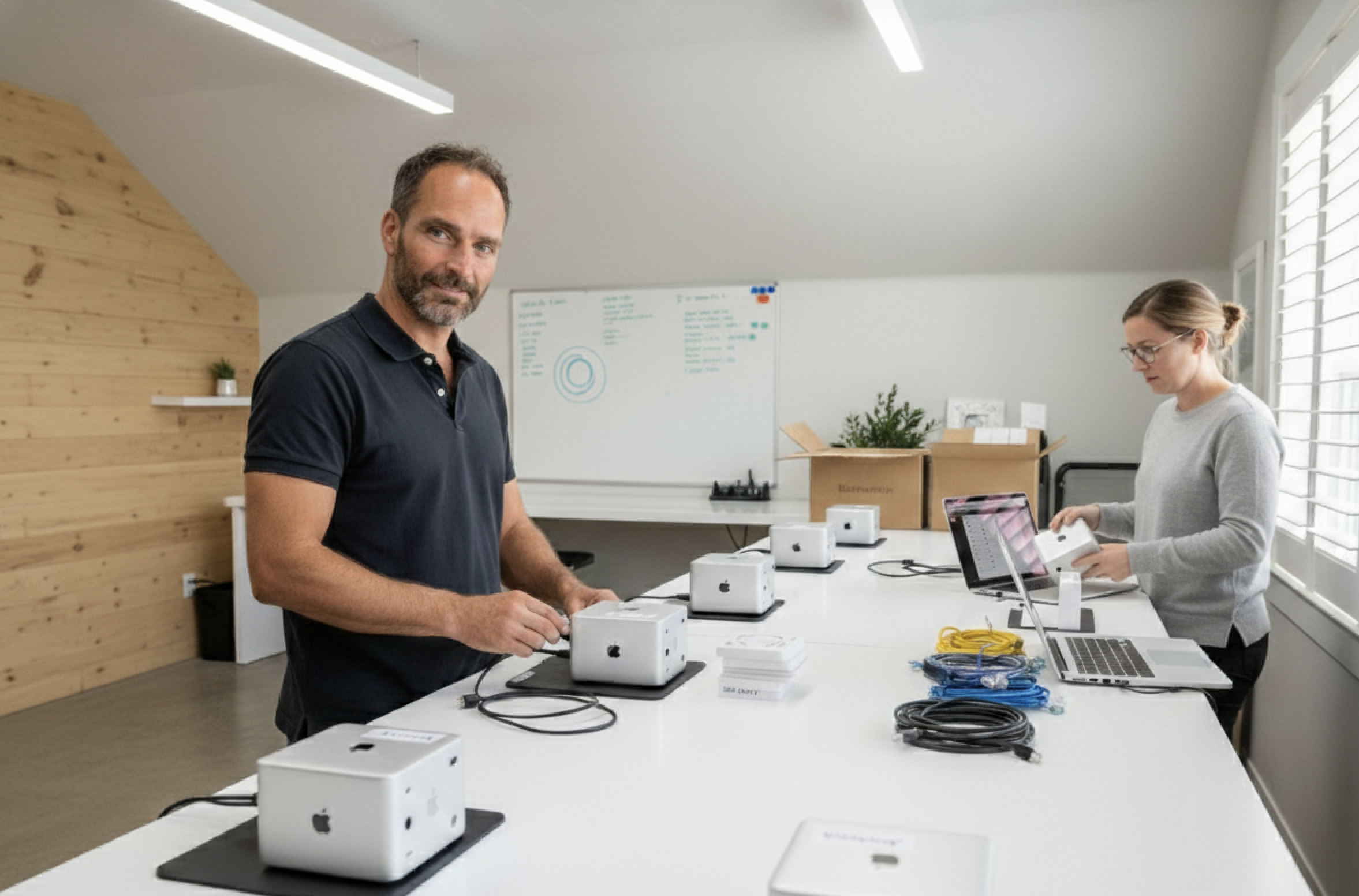
Building a custom AI employee workstation
We build each AI employee from scratch on brand new hardware.
💡
Full transparency on hardware costs. The standard setup runs on an Apple iMac with an M4 chip, 16GB memory, and a 24-inch display. We pass the hardware cost through at retail — no markup. You own the machine outright.
2
Day 1

We deliver and set it up.

We come to your office, install the iMac, connect it to your network, and walk you through everything. By the time we leave, your AI employee is online and ready to work.

There's no software to learn. You communicate with your employee the same way you would with any hire — by text, email, or just typing directly into the keyboard. On day one, you'll be able to assign work like drafting a blog post, responding to a client inquiry, or scheduling follow-up emails.

Full Plate AI employee being delivered and installed at an office
We deliver and install your employee at your office or home office.
📋
Pro tip: Have some work ready before your employee arrives. Think about the tasks that pile up every week — the follow-ups you forget, the social media posts that never get written, the emails sitting in your drafts. That's your employee's first assignment.
3
Weeks 1–2

Train it like any new hire.

The first couple of weeks are a training period — just like you'd expect with any employee. You'll provide feedback on its work. Is the tone right? What kind of greetings do you want? How should it respond when a client asks about pricing? This is normal. Every employee needs direction early on.

The difference is how fast it learns. Your AI employee adapts quickly and doesn't forget what you've told it. Show it once, and it's consistent from that point forward.

Brand voice calibration Adjust tone, greetings, and communication style
Task prioritization Define what it works on and when
Scheduled reporting Set up daily, weekly, or monthly progress reports
Workflow handoffs Move tasks you or your team already do on a computer to your AI employee
Training and providing feedback to your AI employee
Train your AI employee with feedback — just like any new hire.
💡
The best way to find tasks to hand off: Look at what you or your employees are already doing on a computer every day. Follow-up emails, appointment confirmations, social media posts, data entry, client check-ins. If it's on a screen, your AI employee can probably do it.
4
Weeks 3–4

Real work, with you reviewing.

Your employee starts handling real tasks — client communication, content, scheduling, follow-ups — with you reviewing the output. Think of it like a new hire's first month: supervised but productive. You're not doing the work anymore, you're just checking it.

During this phase, we schedule bi-weekly check-ins to see how the employee is performing and collect your feedback. This is the same early-stage review you'd give any new team member — and it's how we dial things in to match exactly how you want your business to run.

5
Month 2+

It's running. You're delegating.

By month two, your AI employee is handling its workload and you're communicating with it the way you would any team member — texting tasks, emailing instructions, checking in on progress. The 60-day ramp-up support means we're still right there if anything needs adjusting.

This is usually when something interesting happens: you start handing over more than you originally planned. Once you see it working, you start thinking about all the other things you've been doing yourself that you don't need to be doing. That's the point.

AI employee handling real estate client communications
Your AI employee handles client communications so you can focus on closing deals.

What we'll need from you.

Most of this you already have. We're not asking you to learn new software or set up integrations — just the basics to get your employee started.

Must have

  • A name for your AI employee It's your hire — you name it
  • WiFi network and password Your employee needs internet access to work
  • A desk or surface with a power outlet Temperature-controlled space, like any other electronic device
  • Your phone number and email Your employee needs to know who the boss is — it'll recognize you right away

Helpful to have

  • Examples of how you talk to clients Past emails, texts, or your website copy
  • A list of common client questions So your employee knows how to respond
  • Any docs or files that help us learn your business Share a Google Drive folder, forward a spreadsheet, or just email us what you've got
  • Tasks ready to assign on day one The stuff that's been piling up — that's the first assignment
After the 60-day ramp-up

This isn't just maintenance. It's constant improvement.

Most customers choose optional monthly maintenance after the ramp-up — because by then, they're handing over more than they originally planned and want to keep building. Here's what $350/month includes:

Software and system updates

Chrome updates, Apple updates, AI model updates — we keep everything current so you don't have to think about it.

New skills and workflows

Every month, we work with you to identify new tasks to hand off and build the workflows to make them happen.

Regular check-ins and feedback

We talk to you, gather feedback, and make adjustments. Your employee gets better every month because you're telling us what to improve.

AI and phone costs covered

Your employee's AI processing costs and dedicated phone number are included. No surprise bills.

Ready to make the hire?

Text Ava and tell her what you do. Or book a 15-minute call to see how it works for your business.

Text Ava — put her to work
Or book a 15-minute call to get your questions answered

By texting (208) 565-1678, you consent to receive SMS messages from Full Plate AI, including demo conversations and follow-up messages. Message frequency may vary. Standard message and data rates may apply. Reply STOP to opt out at any time. Reply HELP for help. Consent is not a condition of purchase. Your mobile information will not be sold or shared with third parties for promotional or marketing purposes.